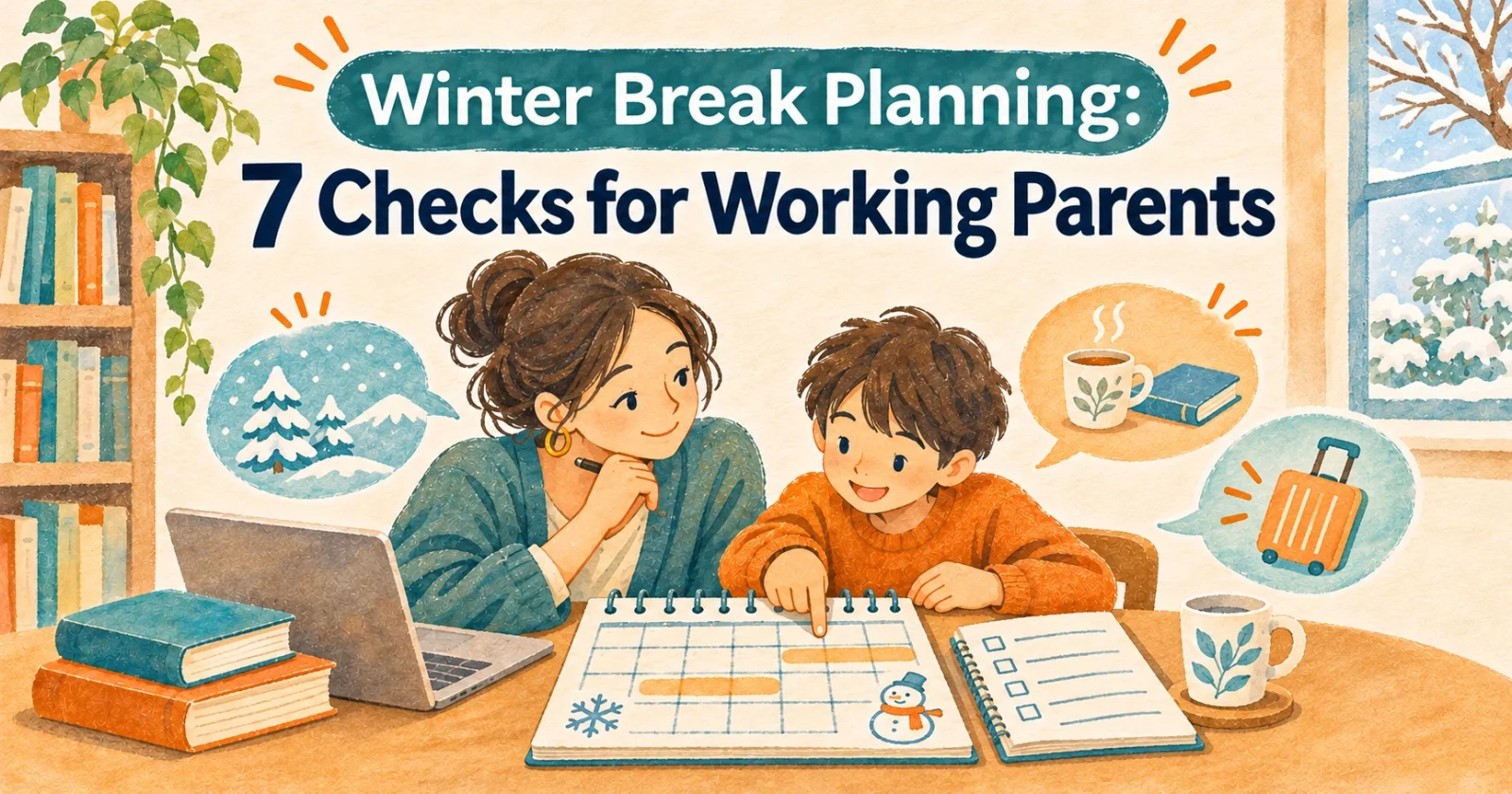
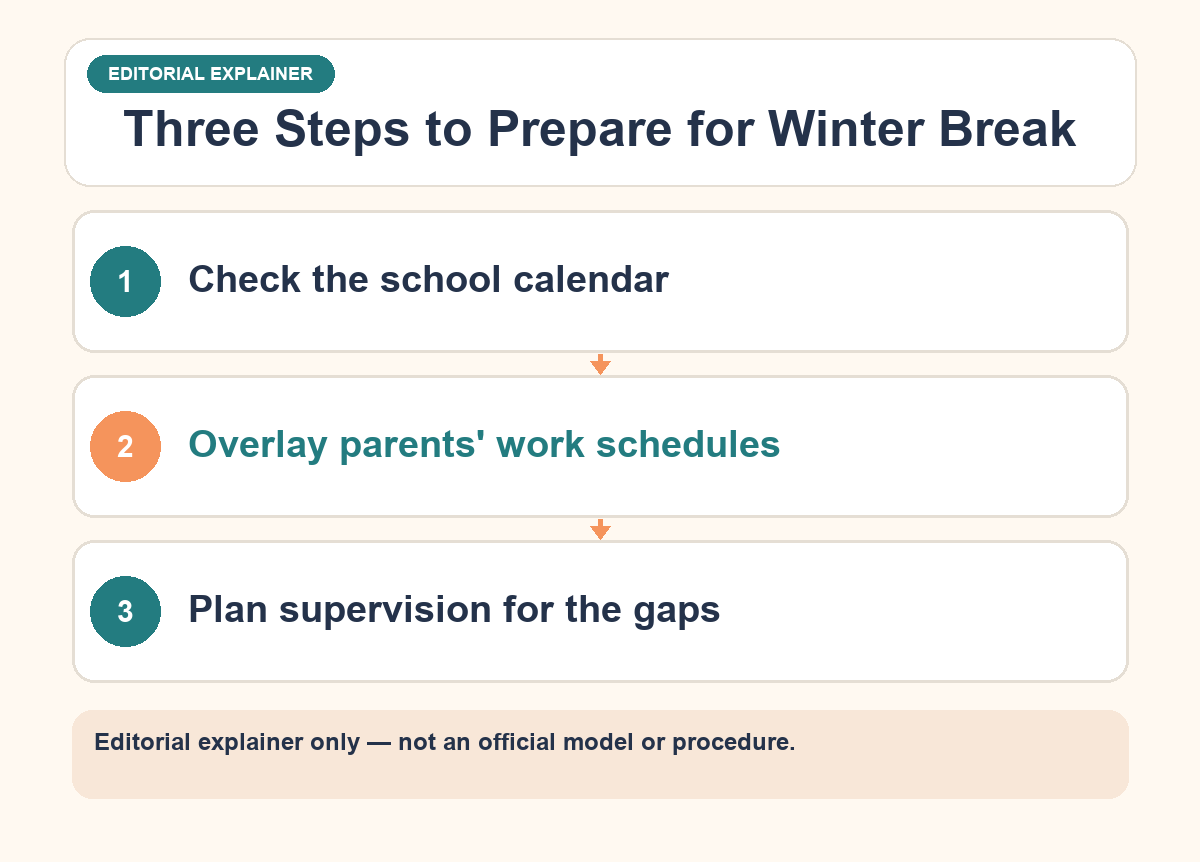
Winter break dates at international schools differ from school to school and from year to year. Working parents will find it easier to spot what needs arranging if they check three things separately: when the school is closed, when each parent is working, and who will supervise the children during the day. This article covers how to read a school calendar, what to ask about holiday programmes, and how to build a family schedule.
Go to the FAQ | Go to the winter break checklist
7 checks for winter break preparation
- Which school year the calendar covers
- Last day of classes, closure days and return date
- Parents’ work schedules and gaps in supervision
- Dates on which holiday programmes run
- Eligible grades, application deadlines and availability
- Fees, transport, lunch and change conditions
- Family plans and the checklist
About this page: this is an English translation of a Japanese article published on Nijiiro (read the Japanese original). Information dates come from the original article unless marked as re-checked on 24 November 2026. If the two versions differ, the Japanese version takes precedence. This article includes PR for a NIJIN, Inc. service.
When Does International School Winter Break Start? Check the School Calendar First
Check the winter break dates on your own school’s calendar for the relevant school year.
For example, ASIJ’s School Calendar 2026–27 lists Winter Break (school closed) from 12 December 2026 to 3 January 2027, with School Resumes on 4 January. This is ASIJ’s calendar for that particular year (ASIJ official calendar). Break periods vary by school and by year, so you cannot copy these dates into your own school’s schedule or apply them to Japanese public school timetables.
When you read a calendar, also note the school year shown on the cover of the PDF, the date it was updated, and where it was posted. Even if a school’s homepage simply links to “Calendar”, the link may lead to an old year or to the parent portal. Check that the file name matches the year shown on the page and that your child’s grade is covered on the same page, and keep the URL you used.
“School closed”, “no classes”, “staff development day” and “public holiday” may look the same when you are planning family schedules, but they do not necessarily mean the same thing. Schools may use their own legends to mark closure days, non-teaching days, staff development days and so on. Read the calendar’s legend and notes, and ask the school about any abbreviations you do not understand.
Before the last day of classes, check whether lessons run as normal, whether it is a shortened day, or whether classroom clean-up or events are scheduled. A different finishing time changes how parents adjust their work and when children need to be picked up. For the return date, check whether all grades return together, whether there are grade-specific orientations, and whether anything needs to be prepared. This helps you avoid everything landing on the first morning back.
Use Japan’s public holiday calendar as supporting information only, not as the basis for deciding when school is closed. Tokyo International School’s public FAQ explains that it follows a northern hemisphere school calendar running from August to June and that its vacations do not necessarily coincide with Japanese public holidays (TIS official FAQ). This is TIS’s own explanation, not a rule shared by all schools. Do not guess closure days from public holidays alone; check your own school’s calendar.
If the calendar has not been published yet, it is important not to copy the same period from the previous year and treat it as confirmed. Use the previous year only as a reference when thinking about family leave, and mark this year’s dates as “not yet published”. When you discuss tentative plans with your employer, explain that the school dates are still awaiting confirmation, and separate dates that can be changed later from those that are hard to change.
When you record dates, include the date you checked them. School calendars can be revised, so rather than relying on the schedule you first found, open the official page again before the break. If no update date is shown, note the date you viewed it and the file name so you can compare if anything changes. If a correction is issued after you have entered dates in a shared family calendar, delete the old entries too so everyone in the family has the same information.
| Item to check | ASIJ 2026–27 official example | What to record for your family |
|---|---|---|
| Winter break | 12 December 2026 – 3 January 2027 (school closed) | Start and end dates for your school and the relevant year |
| Classes resume | 4 January 2027 | Arrival time and what to bring on the first day |
Source: ASIJ School Calendar 2026–27 (checked on 21 November 2026 in the original Japanese article; the dates were re-checked against the ASIJ page for this translation on 24 November 2026). This is an example from one school and one year and does not show any other school’s dates.
If you find days with no one to supervise your child, the first places to ask are your school, your local municipality’s child-raising support desk and your employer (see the section on alternatives below).
Overlay School Holidays and Work Days to Find the Uncovered Days
Put school closure days and the hours parents can actually supervise on the same schedule.
Record adults’ schedules in categories such as “working”, “on leave”, “working from home” and “discussing changed hours”. Working from home means being at home; it does not mean you can look after a child during meetings. Keeping the work location and the hours you can actually supervise in separate columns stops you from automatically counting every day at home as a covered day.
Another approach is to split each day into morning, daytime and evening. For example, if Parent A covers the time before work, a relative covers the afternoon and Parent B gets home in the evening, the plan for that day is still incomplete if there is a gap during the day. Even a short gap may need a different response depending on the child’s age and development, your home and local rules, so make the times visible rather than leaving them vague.
If siblings attend different schools, give each school its own row. When the break periods differ, one child may need supervision on a day when the other is at school. If your family does drop-offs and pick-ups, record not only the first and last days of term but also the siblings’ meeting points and who is collecting whom. A plan that leaves out travel time can end up with the same adult due in two places at once.
Write possible leave days alongside your workplace’s application deadlines. Over the New Year period, colleagues also take leave and work deadlines pile up, so waiting until the school calendar is confirmed before applying may sometimes be too late. Before confirmation, discuss the days as changeable candidates, then make formal arrangements once the school’s closure dates are fixed. Use separate columns so that provisional family decisions are not mixed up with confirmed requests at work.
When you mark days on which no one can cover the whole day, also check whether there is any time, however short, when the child would be alone. Lining up the time an adult finishes work, travel time and the end time of lessons or programmes on the same line shows gaps between pick-up and getting home. The chart is not a way to set a single age at which a child can safely stay home alone; it is a tool to help the family discuss its specific situation.
When the family talks it through, decide not only who will take time off but also who will receive messages if something changes and who will decide on alternatives. You can choose whether one person updates the schedule or whether you use a shared calendar. If only one parent receives communications from the school, agree how the necessary information will be shared at home, so that fewer things are missed.
Do not leave undecided cells blank; write their status, such as “under discussion”, “awaiting reply” or “not yet applied”. A blank cell cannot be distinguished from a missed entry and can lead other family members to assume something is settled. Give provisional plans a deadline and decide who will re-check by when, so that undecided items are not left hanging. Showing how certain each plan is helps you avoid overpacking the schedule.
Ask About After-School Care and Winter Break Programmes Separately
After-school services on regular school days do not necessarily continue during winter break.
The TIS official FAQ states that classes run from 8:10 to 15:20 and optional co-curricular after-school activities from 15:30 to 17:30. It describes a Child Care Program for students not in an extracurricular activity, running from 15:30 to 18:30 on regular days, at an extra cost. The FAQ gives no specific amount (the original article noted that it refers readers to the School Fees page). The TIS Summer Programme is described as running for three weeks directly after the academic year ends. None of this indicates childcare during winter break.
| Item in the TIS FAQ | What the FAQ states | What it does not tell you |
|---|---|---|
| Classes | 8:10 – 15:20 | Winter break arrangements |
| Optional co-curricular activities | 15:30 – 17:30 | Whether they run during holidays |
| Child Care Program | 15:30 – 18:30 for students not in an extracurricular activity; extra cost | The fee amount; any winter break provision |
| TIS Summer Programme | Three weeks directly after the academic year ends | Any winter programme |
Source: Tokyo International School FAQ (cited in the original article as checked on 21 November 2026; the times and descriptions above were re-checked on 24 November 2026). This is one school’s information only.
When you contact the school, do not stop at “Is there childcare over winter break?” Ask for the actual dates on which anything runs during the period. Check whether it covers the whole break or only some days, whether it runs mornings only or into the afternoon, and whether there are days when the programme is closed. Even if a notice says “holiday program”, it may only cover summer or spring break, so include the name of the holiday and the school year in your question.
Check eligibility in specific terms too. You cannot tell from a programme’s name whether it is for enrolled students only, for certain grades only, open to outside participants, or open to siblings. Ask separately about age, grade and language requirements, when applications open, required documents, and whether you apply by the day or by the week. If your child is not eligible, also ask when you will find out. If you plan around a programme and then discover the eligibility is different, you have less time to find an alternative.
Check capacity, availability, waiting lists and how places are confirmed when applications open. Submitting a form is not necessarily the same as having a confirmed place. Whether the school sends an acknowledgement email, whether there is later selection or a lottery, and whether you can see your position on a waiting list all vary by provider. Once a place is confirmed, copy the dates, times, meeting point and emergency contact into your family schedule and keep the reply email.
For fees, ask not just about the total but separately about daily or weekly rates, extra charges for lunch or transport, when payment is due and what happens if you cancel. If a fee table only says “additional fees apply”, you cannot tell what is included. Do not fill in items missing from the school’s information with other families’ experiences from last year or with other schools’ prices; ask the responsible office. Compare costs after the dates and times you can actually book are confirmed, so you do not include sessions you do not need.
Check whether transport is provided together with the start and finish times. The venue may differ from the usual campus, or the meeting point may be somewhere else. Check how to register the people who will drop off or collect your child, who to contact if you are running late, and what happens if pick-up is delayed at the end, then work out the travel time from your workplace. If you plan your working hours around the programme’s finish time alone, you may not make it for the actual handover.
If you cannot find a holiday programme, do not assume none is offered. Check whether the school refers families to an outside operator, whether applications go through the parent portal separately, or whether the information has not yet been released. If you cannot get an answer, decide when to check again and consider other family options in the meantime. Asking about regular-day services and holiday provision separately is the quickest and most reliable way to find out.
| What regular-day information tells you | What to ask separately for winter break |
|---|---|
| After-school activities and extended care on school days | Dates, hours and eligible grades during winter break |
| Whether there is a summer programme and how long it runs | Applications, availability and fees for a winter programme |
| Usual hours students can stay on campus | Venue, transport, lunch and cancellation terms |
Before Applying, Confirm Dates, Eligibility and Costs One by One
Before applying, check the dates, eligibility, hours, fees and how places are confirmed, each separately.
Break eligibility down into age, grade, enrolment status and any support needed. Ask specifically whether outside students are accepted, whether places are limited to children already registered for after-school programmes, and whether siblings can attend together. If your child needs particular care or support in daily life, check with the provider what information should be shared, when and with whom, and avoid entering unnecessary personal information on the application form.
Check whether applications are made through an information page, a form, email or the school portal. See whether the deadline includes a time as well as a date, whether a time zone is stated, and whether places are first come, first served. Keep any confirmation number or acknowledgement email after submitting, and if the result is sent separately, note when it is expected. If different family members handle the application at different stages, share progress to avoid duplicate or unsent applications.
For payment terms, check whether there is a deposit and a balance, the payment deadline, payment methods and whether receipts or statements are issued. If you plan to use an employer subsidy, find out first whether the invoice must be addressed in a particular way or whether proof of attendance is needed. Whether something is covered depends on your employer’s rules, so you cannot assume it is approved based on the provider’s information alone. Missing a deadline may mean you cannot obtain the required documents, so check with both sides early.
Read the cancellation terms with possible changes in family plans or a child’s illness in mind. Check how late you can make changes, whether refunds or transfers are available and who to contact, and keep this in writing. If the terms explain what happens when a programme is suspended because of a natural disaster or the operator’s circumstances, save the relevant section. Exceptions for individual circumstances cannot be judged from the general information, so ask the provider before applying if necessary.
It is also worth checking in advance how to get in touch on the day and how emergency handovers work. Check who to contact about lateness or absence, how to change the person collecting your child, the contact order if your child becomes unwell, and the address of the venue. If more than one parent might do the pick-up, ask whether each person’s name needs to be registered. Do not assume an outside programme follows the same rules as your usual school; check with each provider.
Meals and belongings directly affect home preparation, so do not stop at a notice that simply says “bring your own”; check the details. See whether lunch, water bottles, warm clothing or medication are specified, whether there is somewhere to store them, and whether items must be taken home. If your child needs special dietary arrangements, discuss individually with the provider whether they can be accommodated, and do not treat acceptance as confirmed based on a general programme description. Also check how to share the necessary information and by when.
Finally, gather proof of your booking. Save the confirmation screen, acknowledgement email, payment record, programme dates, transport confirmation and emergency contacts in one folder, and decide where family members can find it. When a change notice arrives, also update any shared calendar or paper schedule still showing the old dates. Organising the booking details once reduces the work of redoing your preparations on the day.
Build Realistic Alternatives for Days Without Childcare
For days with a gap in supervision, list several options that fit your family’s situation and compare them.
Options include parents taking leave or adjusting working hours, help from family and relatives, and local childcare services. For families living in Japan, search your municipality’s official website for “一時預かり” (temporary childcare) and “ファミリー・サポート・センター” (Family Support Center), and if you cannot find them, ask your local child-raising support desk about bookings during winter break, eligible grades, hours and availability. The Children and Families Agency provides information on the Family Support Center programme, but how it operates and the conditions of use need to be checked for each area. Ask the provider about eligible ages, holiday bookings, fees and application deadlines, and do not guess conditions that are not published. These are Japanese municipal programmes; readers outside Japan should ask their own local authority what is available rather than assuming an equivalent exists.
If you ask family members or relatives for help, share the dates and roles in specific terms. Rather than “Could you watch the kids for a few days?”, discuss which days and which hours, who will handle meals and transport, and how emergency contact will work. Also check the burden on the person helping and what suits them, and agree how to get in touch if something changes at the last minute to reduce misunderstandings. It is important to be clear about what you can ask for and what is difficult.
If you are considering leaving your child home alone, do not decide based on age alone. As a family, consider your child’s maturity, how long they would be alone, support nearby, means of contact, home safety and local or school guidance, and consult your municipality or specialist services if needed. Think through specific situations such as keys, fire and heat sources, visitors and feeling unwell, and decide which adult your child can contact if they are in difficulty. This checklist does not guarantee safety.
Even if the plan is for a child to be alone for only a short time, consider delayed commutes or meetings that run over. Decide where your child will wait and who will be contacted if an adult cannot get home on time. Give the backup person a number to call when parents cannot answer the phone and the minimum handover information needed. Rather than circulating personal information widely, share only what is necessary with the people who will actually be responsible.
If you plan days at home, you can start by setting up daily basics such as meals, rest and going outside rather than packing in study or activities. Winter break is a time when daylight hours and temperatures differ from usual and family tiredness builds up. Preparing a few activities your child can choose from lets you talk about how to spend the time without adults managing every hour. This is a suggestion for families and does not replace school assignments or activity requirements.
If you are thinking of having your child spend time with a friend nearby, agree the times, place, contact details and who handles transport with the other parent. Children making plans with each other does not mean the parents have confirmed anything. If several families take turns, make each family’s days and hours visible. If sensitive information such as meals or allergies needs to be shared, decide how the parent concerned will pass on what is necessary.
Sorting alternatives into three levels — “confirmed”, “under discussion” and “candidate” — makes it easier to handle changes. Decide the order in which you will contact the next option if a confirmed arrangement is cancelled, and by when you will switch. You do not need to fill every slot with a booking, but set a check date so that days needing supervision are not left undecided. Keep anything you cannot decide on the agenda for a family discussion, and record who will take the next step.
Talk With Your Child About the Holidays and Leave Room in the Schedule
Ask your child what they would like to do, and plan as a family, including time with no activities.
When you talk, think concretely a few days at a time rather than trying to decide the whole break at once. If a broad question like “What do you want to do over winter break?” is hard for your child to answer, you could offer choices such as days at home, days out and days seeing someone. When you offer choices, include only options that are actually possible, and do not present childcare services you have not yet confirmed as if they were settled plans.
Not filling every free moment is also a valid choice. There is no need for an event every day of the break, and time to rest and play freely can help some children find their own pace. Depending on family circumstances, arranging supervision may come first, making it harder to leave much free time. Neither approach is right or wrong; adjust while keeping an eye on the load on both children and adults.
When you tell your child about family plans, make it clear that things may change. Rather than promising “We can definitely go on this day” and then changing it because of work, share how settled each plan is, for example “We’re waiting to hear from the school” or “We’ll go if we get a place”. If your child finds changes difficult, distinguish confirmed and provisional plans with colours or symbols, and look together at what has changed when something does.
If siblings want different things, consider whether you can create separate time rather than insisting everyone does the same. Children of different ages and interests will not necessarily suit the same programme. Talk about options you can actually carry out, including transport and cost constraints. If one child’s wish cannot be met, explain why and look for ways to reflect their voice in the plan, such as finding together an activity they can choose on another day.
Decide how much of the family’s circumstances to explain according to your child’s age and understanding. They do not need to carry details of your job or money worries, but you can briefly explain which days parents are working and why supervision needs to be arranged. Choose words that do not make adults’ circumstances the child’s responsibility or suggest “you are being looked after elsewhere because of you”, and show that you are building the plan together as a family.
If plans need to be reviewed during the break, first check the cancellation deadline and change procedure, then contact the provider.
Towards the end of the break, decide as a family whether to use the last few days for preparation or for rest. Follow the school’s information for what to bring and arrival time on the first day back, and keep these separate from the childcare arrangements and family plans used during the break. Some families get ready for the new term early; others rest until late in the break. Choose a pattern the whole family is comfortable with and can sustain, and cut back on plans if needed.
Use the Checklist to Separate Confirmed Items From Unconfirmed Ones
On the checklist, record confirmed items and unconfirmed items separately.
In the first fields, record your child’s school, grade, the school year the calendar covers, the official page URL and the date you checked. If siblings attend different schools, making a copy of the sheet for each child helps avoid confusion. If you write only the dates and leave the school year blank, you may mix them up with next year’s schedule, so always record dates together with the school year.
In the dates section, separate the last day of classes, the first and last days of the break, the return date, and any shortened days or staff development days. For fields where the official calendar gives no information, write “unconfirmed” rather than “not listed”, to show you need to ask the school. The absence of a date in a document is not evidence that the day is a normal school day. Separating the fields keeps what you read in the documents apart from guesses.
In the work section, record the hours each parent can cover, the status of leave requests, whether supervision is possible while working from home, and commuting or travel time. You do not need detailed entries for everyone; you can simply pull out the days when schedules clash or the hours when you are short of hands. The purpose is not to show outsiders your family’s work arrangements but to help you understand what needs adjusting.
In the childcare provider section, separate the provider name, dates of operation, eligibility, hours, application status, fees and contact details. When availability or eligibility is not yet confirmed, do not move the option from candidate to confirmed. Briefly noting the date you enquired, who replied and the gist of their answer prevents you from sending the same question repeatedly or family members hearing different information.
Write the status as “confirmed”, “in progress”, “unconfirmed” or “not eligible”. Use “not eligible” only when the school or provider has told you so; if you simply could not find the information on their page, mark it as unconfirmed. For items in progress, add the next contact date and the person responsible. If the family shares when each decision must be made, unclear items will not be left for weeks.
Families using a printed copy should add an update date so it is clear which answers are the latest and what is still undecided. Families using it digitally can copy just the necessary dates into a shared calendar or notes app. Whichever method you choose, do not delete the school’s official notices themselves; keep links or file names that lead back to the original documents. The sheet is an aid to make information easier to see and does not replace the source documents.
When Emailing the School, State the School Year, Dates and When You Need an Answer
Include the school year, your child’s grade and the conditions you want to know about in your enquiry.
Do not cram too many questions into one message; list dates and service details separately as bullet points. For example, make separate items for the period, eligible grades, hours, application start date, deadline, fees, how to check availability, and transport or lunch arrangements. Splitting questions so they are easy to answer makes it easier to spot any items left unanswered in the reply.
Rather than writing “as soon as possible”, mention the date by which your family needs to adjust work or apply. However, avoid wording that suggests the school is obliged to reply by that date. Ask roughly when they can respond, and if that is too late, ask which office you could check with or when information is expected to be published. If your workplace’s leave request deadline comes first, briefly explain that.
Families writing in English should keep sentences short and to the point. Include the school name and grade, and ask about the school year, whether there is a winter break programme, when details will be published and eligibility. Having all the information the school needs matters more than fluent English. If the school specifies an enquiry form or parent portal, use that route rather than general email.
When you receive a reply, check whether it includes the school year, dates, times, grade and fees before copying it into your schedule. Even if the answer is “We have a programme”, whether it runs on all dates, whether places are available and whether your application is confirmed are separate questions. Ask about any conditions not covered in the reply one at a time.
If you receive an answer by phone, record the office, the date, the main points and the next step you need to take. If you hear important conditions verbally, confirm your understanding by email or similar where necessary. The purpose of keeping records is not to prepare for a dispute with the school, but to share the same accurate information with other parents and your employer.
If your plans change after your enquiry, refer to the earlier conditions and check again. For example, if you planned to attend when you applied but your work arrangements or the person doing pick-up have changed, ask about the change procedure and deadline. Do not cancel without notice or assume your place will transfer automatically; contact the provider following the procedure they give.
If you do not get a reply, check your spam folder and portal notifications, then ask again using the contact method the school specifies. When resending, include the date and main points of your first message without repeating everything at length. School offices may also close for the holidays, so list the items awaiting replies and set a deadline for considering your next option at home, so the whole plan does not stall.
Compare Work Arrangements and Family Costs Option by Option
Compare not just cost but also time, travel and how certain each option is.
For programme options, check whether registration fees, lunch, materials or transport are charged separately from the basic fee. Also check whether there is a daily rate for just a few days or whether you must book several days. If amounts are not published, mark them as unconfirmed and ask the provider, rather than estimating from other schools or last year’s prices.
For taking leave, discuss with your workplace not only how many days you need but also whether you need consecutive days or can manage with leave split up. Workplace systems and application deadlines differ from company to company, so this article does not state them as general entitlements. Check your employment rules or the explanation from the relevant department, and reflect the agreed working days in your family schedule.
For options that combine work from home, review meeting times, tasks that need concentration, lunch and breaks. Whether you can handle your child’s meals or outings while working depends on your job and how your workplace operates. Do not decide as a family that “it’s fine because someone is home”; discuss what each person can take on at specific times, and arrange other supervision for the hours that are difficult.
When comparing the cost of outside services, include only the days your child can actually attend. If the dates do not overlap with work days, a low price alone is not much reason to consider an option. Check application deadlines, availability and transport times first, then calculate the total daily cost for options you can actually use. Include transport costs and the time needed for pick-up in your estimate.
Whether you can use an employer subsidy depends on your company’s benefits and expense rules. Do not assume there is a scheme that covers childcare costs; ask the relevant department about eligible services, receipt requirements and application deadlines. Ask the school or programme operator whether they can issue the required documents. Until a subsidy is approved, do not budget your out-of-pocket cost as zero.
Also check when payment is due. If advance payment is required, read the refund conditions for cancellation and whether changes are possible after payment before you apply. Whether you can provisionally hold several options differs by provider, so record deadlines to avoid double booking. Once payment is complete, keep the receipt or acknowledgement so the family can tell what has and has not been paid.
In your comparison table, listing “certainty”, “travel required”, “child’s preference” and “ease of change” alongside cost reduces oversights. You do not need to score every item. Discuss which conditions are non-negotiable for your family and which can be adjusted, then check whether each option meets them. If the decision is difficult, start with the days when the burden overlaps most and narrow down what you compare.
Decide Your Contact Order in Case of Plan Changes or Illness
For each provider, decide in advance who to contact and in what order to switch plans if things change.
On days you have booked a programme, check who to contact and the deadline for absence, lateness and early pick-up. If the school and an outside operator have different contacts, put both in your schedule. Check from the provider’s information the hours in which absences must be reported, an alternative if the phone is not answered, and refund or transfer conditions, and keep this where the family can find it.
If a parent’s work schedule changes suddenly, the first thing to check is the provider’s rules on changes. Whether a booked slot can be moved to another day, whether another adult can collect your child and whether the person who applied must make contact all vary. Even when asking family or relatives to stand in, confirm the handover method with the operator before finalising the plan.
If your child becomes unwell, follow the school’s or programme’s health policy. If medication or medical information needs to be shared, pass on only what is necessary using the method the provider specifies, and do not write detailed medical information freely on a general contact sheet. For symptoms you cannot judge at home or for emergencies, contact appropriate local medical or advice services; the planning sheet in this article does not replace medical judgement.
If a booked provider suddenly closes, check how notices are received and what the alternatives are. Ask the operator which channel — email, the parent portal or phone — is used for official notices. Do not assume refunds will be automatic after a closure; follow the guidance on refunds, transfers and reopening dates. Decide who will keep checking notifications during the break so messages from the school or provider are not missed.
Limit your contact network to those who need it. You do not need to send the same information to everyone at once — family, the person supervising, the provider’s office and your workplace’s emergency contact all have different roles. If you share your child’s current location or contact details, consider who will see that information and protect your family’s privacy. Do not write ID numbers or passwords on a contact list.
When you have several alternatives, decide their order and the deadline for switching. Sharing with the family who to contact and which option to choose if the first choice is unavailable means decisions on the day do not all fall on one person. If you cannot settle on an alternative quickly, set a deadline for talking to your employer and a date to re-check with the school, and look for local advice services if needed. It is important not to fill in your schedule on the assumption that a booking will be available without checking the services you can use.
10 Frequently Asked Questions
For dates and application conditions, rely on each school’s official information for the relevant year.
When does winter break start at international schools in Japan?
It varies by school and by year. Check your school’s calendar for the relevant school year to confirm the last day of classes, the break period and the date classes resume.
Can I tell which days school is closed by looking at Japanese public holidays?
School holidays do not always coincide with Japanese public holidays. Tokyo International School’s FAQ also notes this, but your own school’s calendar should take priority.
Can I reuse last year’s winter break dates for this year?
Treat last year’s dates as a reference only, not as confirmed information for this year. Replace them once the official calendar for the relevant year is published.
Can we use the regular after-school childcare during winter break?
Services offered on regular school days do not necessarily run during the holidays. Ask the school separately about the winter break dates, eligibility and how to apply.
What should we do if the calendar has not been published yet?
Record it as not yet published and ask the school when it expects to publish it. Discuss tentative dates with your employer, and keep them separate from confirmed dates.
If I am working from home, do I still need to arrange childcare?
How much supervision you can provide while working depends on your job and your meeting schedule. Work out the specific times you can actually cover and record them in your family schedule.
What if siblings have different school holidays?
Use a separate row for each school and record the break dates and return dates. Also check for times when drop-offs, pick-ups or supervision overlap.
Can I ask whether places are still available after the application deadline?
Availability and late applications depend on how each provider operates. Contact the provider with the dates and grade you need, and do not treat the plan as confirmed until you receive confirmation of a place.
Are lunch and transport included in holiday programmes?
This cannot be assumed. Check lunch, transport, meeting points, extra fees and what to bring with each provider.
Is there a set age at which a child can stay home alone?
It cannot be decided by age alone. Consider the child’s circumstances, the length of time, your home environment and local guidance, and consult your municipality or other services if needed.
What You Can Do Today: Put Dates, Work and Supervision Gaps on One Page
Your first step today is to write the official school calendar and your work schedules on the same page.
In the basic section of the checklist, enter each parent’s working days and the hours when meetings or travel mean they cannot supervise. If you pull out only the dates with gaps, you can find what needs arranging without entering every detail.
If there are days without supervision, first note three places to check: the school’s holiday programme, your municipality’s child-raising support desk and your employer’s leave request office. Japan’s municipal temporary childcare (一時預かり) programme is described mainly as care for infants and young children, so families with school-age children should also ask about age requirements (Children and Families Agency: support programmes).
If you or your child are worried or need someone to talk to, the 24-hour Children’s SOS Dial in Japan is a free public consultation line: 0120-0-78310 (shown by the Ministry of Education, Culture, Sports, Science and Technology as 0120-078-310) (MEXT: Children’s SOS consultation). Nijiiro’s editorial team page describes it as a Japanese-language service. It is a consultation line, not a childcare booking service.
When you contact the school, state the school year, your child’s grade, the winter break dates, whether a programme is offered and when details will be published. If applications have already opened, check the booking status, availability, hours, fees, transport, lunch and how to cancel. When a reply arrives, read whether a place is confirmed or whether further steps remain, and keep unanswered items as they are.
When you talk as a family, distinguish confirmed dates from candidate dates. Tell your child, in a way suited to their age, which plans are confirmed and which are still awaiting replies, and ask what they would like to do and which days they want to rest. If the schedule is getting too full, choose the time your family wants to prioritise and consider cutting back on activities.
For anything you cannot decide right now, write down the next check date and the person responsible, one item at a time. Keep requests to your workplace separate from provisional family plans, and tell your workplace that dates not yet confirmed are tentative.
The checklist in this article does not replace school rules or safety judgements. Keep only the fields you need, and make sure people you share it with cannot see unnecessary personal information.
Finally, when the school’s reply arrives, check that the school year, grade and dates are correct, and add only confirmed days to the shared calendar. Keep replies you are still waiting for from municipalities or private services in the candidate column, and add them to the schedule once you have been notified that a place is confirmed.
For broader background on school types and costs, see Nijiiro’s guide International Schools in Japan: Tuition, Types and Legal Status.
Winter Break Schedule and Childcare Checklist
This sheet is for organising information at home and does not replace school rules or application forms.
This is an unofficial note for families. Give priority to the forms and rules specified by the school or provider, and use only the fields you need.
Optional fields to use only if needed
References and Sources
This is an English translation produced on 24 November 2026 from a Nijiiro Japanese article. Information dates stated in the original (sources marked as checked on 21 November 2026) are kept as the original’s dates and are not today’s fact-check dates. Only the items listed below as re-checked on 24 November 2026 were checked again for this translation; all other statements are inherited from the original and have not been newly verified.
Sources cited in the original Japanese article (dates as stated in the original):
- ASIJ School Calendar 2026–27 (checked 21 November 2026 in the original; winter break and return dates re-checked 24 November 2026)
- Tokyo International School FAQ (checked 21 November 2026 in the original; calendar, hours and programme descriptions re-checked 24 November 2026)
- Children and Families Agency: Family Support Center (checked 21 November 2026 in the original; page confirmed available 24 November 2026)
- Nijiiro editorial structure (Japanese) (checked 21 November 2026 in the original; re-read 24 November 2026)
- NIJIN GLOBAL ACADEMY official website (checked 21 November 2026 in the original; NGA status re-checked on its English FAQ, opening updates and contact pages on 24 November 2026)
Additional sources checked for this translation on 24 November 2026:
- Children and Families Agency: Support programmes and financial support (Japanese)
- MEXT: Children’s SOS consultation contacts (Japanese)
- About the Nijiiro Editorial Team
- NIJIN GLOBAL ACADEMY: FAQs
Whether childcare runs during winter break, and its eligibility, availability, fees, transport and lunch, must be checked with each school or provider. The original article noted that the body of its designated editorial policy page had not been checked; for this translation, the Japanese editorial structure page and the English editorial team page were read, and the legacy policy URL https://nijin.jp/editorial-policy/ returned a “not found” error, so it could not be read.
The featured image is an AI-generated explanatory illustration. The body diagram is an editorial diagram of the planning steps. Neither is a photograph of real school activities.